By default, Craft CMS makes its Control Panel (CP) accessible via the /admin URI. While this is a standard convention that makes it easy for developers to get started, there are many scenarios where you might want to change this. Whether you are looking to add a small layer of security through obscurity or simply want a custom brand-aligned URL like /manage or /portal, Craft CMS makes this transition seamless.
In this guide, you will learn how to use the cpTrigger configuration setting to change your Control Panel URL, how to implement this change using environment variables for better security, and what to keep in mind regarding your site's routing and server configuration.
Why Change the Default Admin URL?
Changing your Craft CMS admin URL is a common request for several reasons. First and foremost is security. While changing a URL isn't a replacement for strong passwords and two-factor authentication (2FA), it does prevent automated bots and "script kiddies" from easily finding your login page. Most brute-force attacks target common paths like /admin, /wp-admin, or /login.
Secondly, branding plays a significant role. If you are building a site for a client who uses specific terminology—perhaps they prefer "Dashboard" or "Staff"—changing the URI to match their internal language provides a more cohesive user experience. Finally, you might encounter a routing conflict if your front-end architecture requires the /admin slug for a specific public-facing page or API endpoint.
Using the cpTrigger Configuration Setting
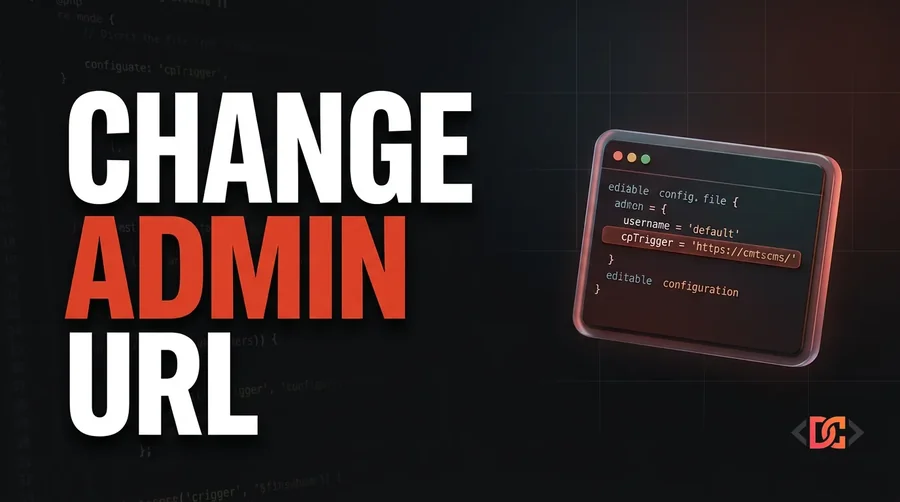
The primary way to change your admin URL in Craft CMS is through the cpTrigger setting located in your config/general.php file. This setting tells Craft which URI segment should trigger the Control Panel routing logic.
To change your URL to /backend, you would modify your config/general.php file like this:
<?php

use craft\helpers\App;

return [
    // Other settings...
    'cpTrigger' => 'backend',
];
Once you save this file, the old /admin path will return a 404 error, and your Control Panel will immediately be accessible at yourdomain.com/backend.
Implementing cpTrigger with Environment Variables
In modern Craft CMS development, it is a best practice to keep environment-specific configurations out of your version-controlled PHP files. This is especially true for security-sensitive strings. Instead of hardcoding the trigger in general.php, you should use your .env file.
Step 1: Update your .env file
Add a new variable to your .env file located in your project root:
# The URI segment used to access the Control Panel
CP_TRIGGER=secret-portal
Step 2: Reference the variable in general.php
Now, update your configuration file to pull this value dynamically using the App::env() helper:
<?php

use craft\helpers\App;

return [
    // ...
    'cpTrigger' => App::env('CP_TRIGGER') ?: 'admin',
];
By using ?: 'admin', you provide a fallback value just in case the environment variable is missing, ensuring you don't accidentally lock yourself out of the CP during a deployment.
Important Considerations and Troubleshooting
When you change your cpTrigger, there are a few technical details you need to be aware of to ensure your site continues to function correctly.
1. Clearing the Data Cache
Sometimes, Craft might still have the old routing cached in its internal data cache. If you find that the new URL is throwing a 404 or the old URL is still working, run the following command in your terminal:
php craft clear-caches/data
2. Update Your Bookmarks and Documentation
It sounds simple, but it is easy to forget to update internal documentation or browser bookmarks. Ensure your team and your clients are aware of the change. If you have any automated deployment scripts or health-check monitors that ping the admin login page, those will also need to be updated to the new URI.
3. Server-Level Redirects
If you are using a web server like Nginx or Apache with specific rules for the /admin path (such as IP whitelisting or additional basic auth), you must update those server configuration files to reflect the new cpTrigger. Craft handles the application-level routing, but it cannot automatically update your server's security rules.
Frequently Asked Questions
Can I use multiple triggers for the Control Panel?
No, Craft CMS only supports a single cpTrigger at a time. If you define a new one, the previous one (including the default admin) will no longer function as a gateway to the Control Panel.
Will changing the admin URL break my existing plugins?
Generally, no. Well-coded Craft CMS plugins use the UrlHelper::cpUrl() method to generate links to the Control Panel. This method automatically checks your cpTrigger setting and generates the correct URL. If a plugin has hardcoded /admin/ into its templates, it may break, but this is rare in the modern Craft ecosystem.
What happens to the default /admin path?
Once cpTrigger is set to something else, the /admin path is treated like any other URI. If you don't have a public entry or a custom route assigned to /admin, Craft will return a standard 404 Not Found error.
Wrapping Up
Changing the admin URL in Craft CMS is a straightforward process that offers both security and branding benefits. By utilizing the cpTrigger setting in config/general.php and leveraging environment variables, you can maintain a flexible and secure configuration.
Remember to always test this change in a local or staging environment before deploying to production to ensure that all team members are prepared for the change and that any server-level configurations are updated accordingly. With this small tweak, you have successfully moved one step closer to a fully customized Craft CMS installation.