Managing multiple digital properties within a single Sitecore instance is one of the platform's most powerful features. Whether you are running a global enterprise with dozens of regional sites or a small business with multiple microsites, configuring Sitecore multi-site capabilities allows you to share resources, streamline deployments, and centralize management.
In this guide, you will learn how to configure Sitecore to respond to different URLs with specific content nodes, utilizing both standard configuration and modern modules. We will explore the technical nuances of site definitions, inheritance, and the critical operational considerations that ensure your multi-site architecture is SEO-friendly and scalable.
Step 1: Infrastructure and IIS Configuration
Before you touch a single line of Sitecore configuration, your infrastructure must be ready to route traffic correctly. Sitecore identifies which site to resolve based on the incoming hostname and virtual folder path.
- Configure DNS: Ensure that all hostnames you intend to use (e.g.,
site1.example.comandsite2.example.com) are pointing to the IP address of your Sitecore Content Delivery (CD) server. - Add IIS Bindings: Open the Internet Information Services (IIS) Manager. Locate your Sitecore website, and in the Bindings menu, add a new entry for each hostname on port 80 (HTTP) and/or 443 (HTTPS).
Step 2: Defining the Site Node via Patch Files
Sitecore uses a <sites> configuration section to determine which content tree corresponds to which URL. While you could technically modify the web.config, the best practice in Sitecore is to use patch files.
Locate the App_Config/Include/SiteDefinition.config.example file. Copy or rename this to App_Config/Include/MyProject.SiteDefinitions.config. Inside this file, you will define a <site> node for each of your properties.
<configuration xmlns:patch="http://www.sitecore.net/xmlconfig/">
  <sitecore>
    <sites>
      <!-- This entry will respond to http://site1.hostname.com/mysite with the /sitecore/content/mysite/home node -->
      <site name="MyNewSite"
            patch:before="site[@name='website']"
            hostName="site1.hostname.com"
            virtualFolder="/mysite"
            physicalFolder="/"
            rootPath="/sitecore/content/mysite"
            startItem="/home"
            database="web"
            domain="extranet"
            allowDebug="true"
            cacheHtml="true"
            htmlCacheSize="50MB"
            enablePreview="true"
            enableWebEdit="true"
            enableDebugger="true"
            disableClientData="false"/>
    </sites>
  </sitecore>
</configuration>
Why the Order Matters
Notice the patch:before="site[@name='website']" attribute. Sitecore resolves sites from the top down. Since the default website node usually has a catch-all configuration, your custom sites must be placed above it in the XML hierarchy to be resolved correctly.
Step 3: Optimizing with Property Inheritance
If you are managing dozens of sites, your configuration files can quickly become bloated. Most sites will share settings like database, domain, and cacheHtml. To keep your code DRY (Don't Repeat Yourself), you can use property inheritance.
By using the inherits attribute, you define a base site and then only override what is unique to the new site, such as the hostName and rootPath.
<sites>
  <site name="base_config"
        abstract="true"
        virtualFolder="/"
        physicalFolder="/"
        database="web"
        domain="extranet"
        allowDebug="true"
        cacheHtml="true"
        htmlCacheSize="50MB" />

  <site name="site1" inherits="base_config" hostName="site1.com" rootPath="/sitecore/content/site1" startItem="/home" />
  <site name="site2" inherits="base_config" hostName="site2.com" rootPath="/sitecore/content/site2" startItem="/home" />
</sites>
Alternative Approaches: Modules and SXA
While manual configuration is the standard approach, the developer community has created tools to make this process more dynamic.
Sitecore Experience Accelerator (SXA)
If you are using Sitecore 9.0 or later, the Sitecore Experience Accelerator (SXA) is the recommended way to handle multi-tenancy. SXA moves site definition out of config files and into the Sitecore items themselves. It provides a "Site Manager" tool that allows you to create sites, manage hostnames, and set up site groupings directly in the CMS interface without a code deployment.
Dynamic Sites Manager
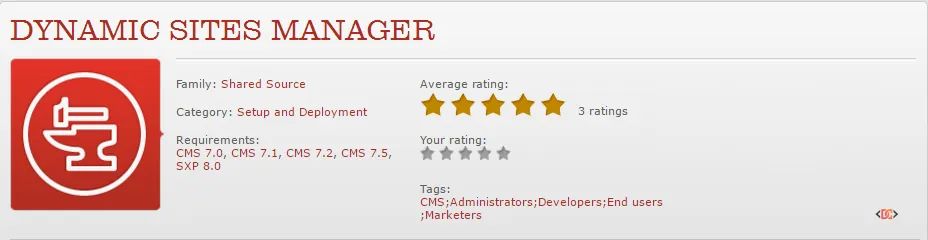
For older versions or non-SXA implementations, modules like Dynamic Sites Manager provide a similar UI-driven experience. These modules allow content authors or admins to add sites by creating items in the content tree, which the module then interprets to resolve the correct site at runtime.
Critical Considerations for Multi-Site Success
Setting up the site node is only half the battle. To ensure a professional, SEO-friendly implementation, you must address the following areas:
1. SEO: Robots.txt and Sitemaps
Each site requires its own robots.txt and sitemap.xml. In a single-instance multi-site setup, a request for site1.com/sitemap.xml must return a different file than site2.com/sitemap.xml. You may need to use a module or custom handlers to resolve these files dynamically based on the Context.Site.
2. Media Library Organization
Avoid a messy Media Library by creating site-specific folders. This prevents content authors from one site from accidentally using (or deleting) assets belonging to another site. Use Sitecore security roles to enforce these boundaries.
3. Shared vs. Local Components
Decide early which components are "Global" (shared across all sites) and which are "Local" (site-specific). This affects how you structure your data sources and how developers build renderings. Use Relative Data Sources (e.g., ./ancestor-or-self::*[@@templateid='...']) in your rendering definitions to ensure components automatically find the correct data within the current site context.
4. Search Indexing
If you are using Solr or Azure Search, ensure your search queries are scoped to the rootPath of the current site. Without proper scoping, a search on Site A might return results from Site B, leading to a confusing user experience.
Common Mistakes to Avoid
- Forgetting IIS Bindings: Even if your Sitecore config is perfect, the site won't load if IIS isn't listening for that hostname.
- Incorrect Patch Order: Always ensure your custom sites are patched before the default
websitenode. - Hardcoded Links: Never hardcode URLs in your code or content. Always use Sitecore's
LinkManagerto ensure links are resolved correctly based on the site context. - Cache Sizes: Each new site adds to the memory footprint. Monitor your
htmlCacheSizeand ensure your server has enough RAM to handle the combined caches of all sites.
Frequently Asked Questions
Can I run multiple sites on different domains in one Sitecore instance?
Yes. By configuring different hostName attributes in your site definitions and adding corresponding bindings in IIS, Sitecore can host domain-a.com and domain-b.com simultaneously.
How do I handle 404 pages for different sites?
You can add a custom attribute to your <site> node (e.g., notFoundItem="/404") and use a custom HttpRequestProcessor to redirect users to the site-specific 404 page when an item is not found.
Does adding more sites slow down Sitecore?
Not inherently. However, each site consumes memory for its HTML cache and registry cache. As long as your server is sized correctly for the total traffic and cache requirements, performance should remain stable.
Wrapping Up
Configuring Sitecore for multi-site management is a foundational skill for any Sitecore developer. By mastering site definition nodes, utilizing inheritance for clean code, and considering the broader SEO and architectural implications, you can build a robust platform that scales with your organization's needs.
If you are starting a new project, strongly consider using Sitecore Experience Accelerator (SXA), as it automates much of this manual configuration and provides a more flexible, editor-friendly way to manage multiple sites.